
How to build an AI Chief of Staff around your actual work and life
Start with what you are already carrying, then decide what the role is allowed to do about it
David Daniel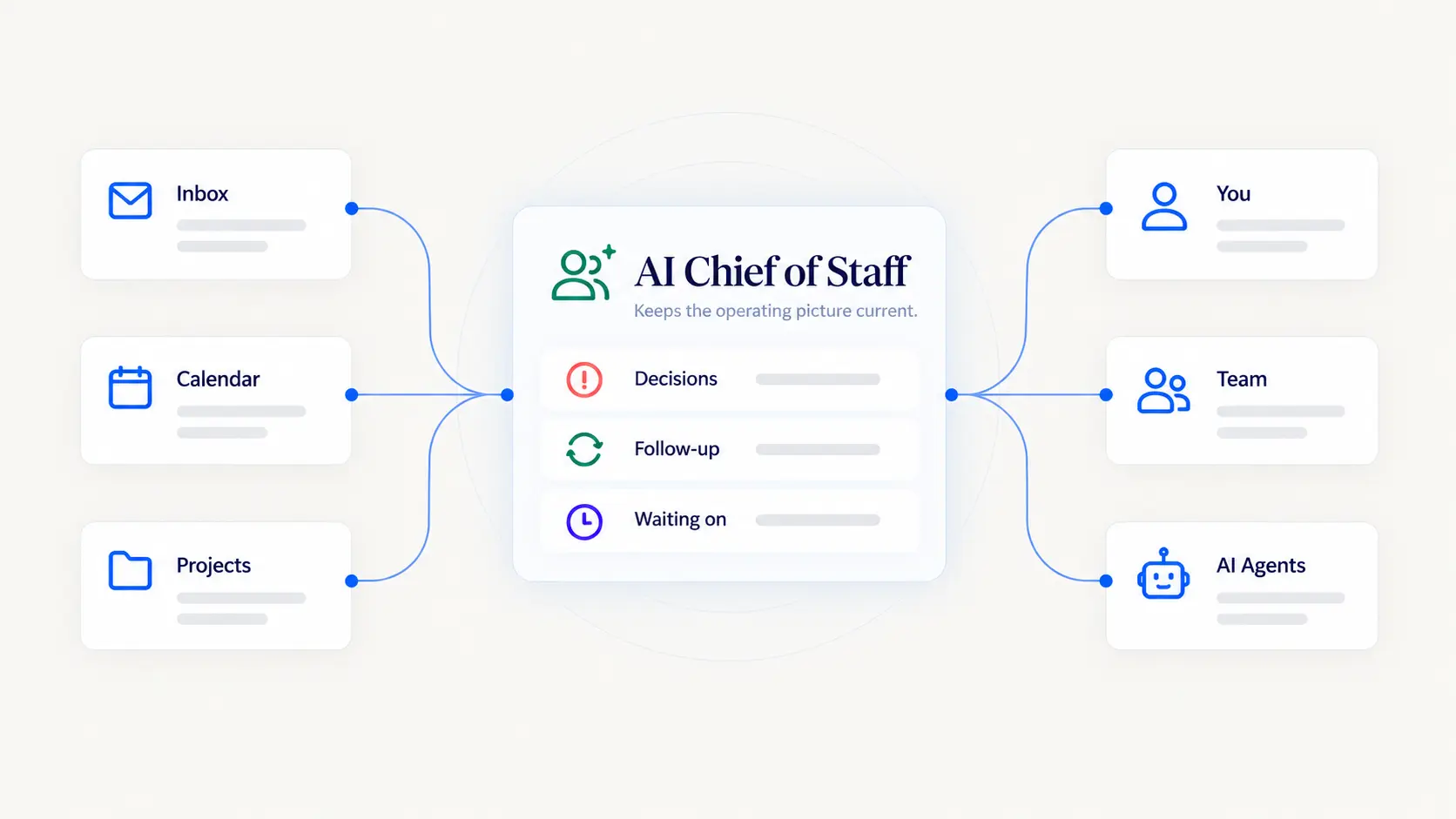
You build this the way you would bring on a person, and almost nobody does.
The usual approach is to connect everything on day one and see what happens. You end up with something that can reach your whole business and has no idea what any of it means, which is the worst combination available: maximum access, minimum understanding.
The order that works is the hiring order. Work out what you are carrying. Write down what the role is responsible for. Decide what it may see, and separately what it may do. Then connect things, in the order that makes each new piece of access useful rather than just wide.
That takes an afternoon to set up properly and saves you from the version people quietly abandon after three weeks.
A deeper walkthrough
Start with what you are carrying
Before anything gets connected, spend twenty minutes writing down what currently lives only in your head.
Not your task list. The task list is the part you already externalised. What you want is the layer above it.
Which clients are mid-conversation about something unresolved. What you promised in a meeting that never became a task. Which projects are waiting on someone who has gone quiet. What you need to decide this week and keep deferring. Which personal commitment is going to collide with which work one.
That list is the job. Everything after this is about moving items off it.
It is also the honest test of whether you need the role at all. If the list is four things, you do not have a coordination problem, you have a Tuesday. If it runs to two pages and the same items keep reappearing week after week, that is what a Chief of Staff is for.
Write the job description
You would not hire someone without answering four questions. The same four make the difference between a role and a vague instruction to be helpful.
What are you responsible for? Be specific. "Help me stay on top of things" is not a job. "Tell me each morning what changed, what is waiting on me, and what is about to slip" is a job.
What do you need to see to do it? This follows from the first answer rather than from what is technically available.
What can you decide on your own? Usually much less than what it can see. Keep these separate in your head from the start.
When do you come to me first? The exceptions matter more than the rules. Anything touching money, a client relationship, or a commitment in your name.
Write those four down. If you cannot answer them, the role is not ready to exist, and connecting accounts will not help.
What it needs to see, and in what order
Connect in the order that makes each piece meaningful, not the order that makes the setup screen look complete.
People first. The twenty or thirty who actually matter, with what each relationship is. Client, supplier, employee, the one who is also a friend. This is the highest value for the least effort, because almost every other signal means something different depending on who it came from.
Then what is in flight. Your genuinely active projects, what each is for, what is stuck and on whom. Not everything you might do one day.
Then the calendar. Once it knows who and what, your week stops being a grid of blocks and starts being a set of commitments with people attached.
Then email, reading only. This is where most people start and it is nearly the worst place to. An inbox without the first three is just a lot of text. With them, it becomes a stream of things that relate to people and projects it already understands.
Then whatever holds your work. Projects, CRM, whatever you actually use.
You will notice access comes last in every case. That is the point.
Decide what it can do, separately from what it can see
The mistake that causes the most regret is treating access and authority as the same setting.
You already run four distinct levels in any business with people in it.
What it can see. Which accounts, which folders, which inbox.
What it can prepare. Draft the reply, assemble the schedule, put the thing on your desk finished.
What needs your yes. For that specific item, each time.
What it just handles. A narrow, named category you stopped checking a while ago.
For a Chief of Staff specifically, the useful starting position is generous on the first two and tight on the last two. Let it see almost everything. Let it prepare almost anything. Require your approval for anything that leaves the building, and reserve the fourth level for things you can describe in one sentence, like confirming a meeting time you already agreed.
Widen it one category at a time, after it has earned that category. Trust in one area is not trust in general, which is also true of people.
One rhythm beats ten connections
The thing that makes this stick is not how much you connected. It is having one moment in the day where the role does its job.
For most people that is a morning brief. Not a summary of everything that happened, which is just more to read. A brief worth having separates what changed, what is waiting on you, what you owe someone, what is about to slip, and what got handled without you.
Start there and let it run for two weeks before adding anything. You will learn more from one rhythm that actually happens than from six connections you never look at.
Weekly planning is the natural second rhythm, and it is a different job. The brief is about what is in front of you. The weekly view is about whether the important things are getting any room at all.
EverydayOS is built around that daily rhythm rather than around the connections, because the rhythm is what makes the rest of it worth setting up.
What it should hand back to you
A Chief of Staff that only ever absorbs work is building a black box. The role should push things back to you, and what it pushes back tells you whether it is set up correctly.
It should bring you decisions, with the context assembled and an actual recommendation. It should bring you things that have gone quiet. It should bring you conflicts it cannot resolve, like two commitments wanting the same afternoon. And it should tell you what it handled, so the fourth level of authority stays visible rather than becoming a place where things disappear.
If a week goes by and it has brought you nothing, it is either not seeing enough or it is deciding things it should be asking about.
When you have two of everything
Most of the people this role suits do not have one business, one calendar and one inbox. They have several, plus a household.
This is where a Chief of Staff either earns its keep or becomes a liability. It has to know which world each thing belongs to, and it has to be able to use one to inform another without merging them.
Your work scheduling should know Friday afternoon is gone. It does not need to know why. One business should know the other is taking your Tuesday. It does not need the client list. The family calendar should be able to block your week without its details showing up in a work context.
If the setup cannot hold those boundaries, do not connect the second world. A system that mixes a client's information into the wrong business is worse than a system that only knows about one of them.
EverydayOS treats keeping accounts and scopes apart as the foundation rather than as a setting, because a role this broad is only safe on top of it.
The ways this goes wrong
Every one of these is the same move: taking the benefit without doing the part that makes it possible.
Connecting everything on day one is the most common. It feels like progress, it takes ten minutes, and it skips the hour of deciding what the role is actually responsible for. What you end up with is something that has enormous reach and no idea what any of it means.
Going straight to full autonomy is the same impulse, arriving later. Approvals start to feel like friction, so you switch them off before anything has earned that in a particular area. It holds for a while. Then something goes out that should not have, and the reaction is almost always to switch the whole thing off rather than to narrow it.
Letting it become a task manager is subtler. If what comes back is a longer list, the role has failed. You are still the one holding everything, and now you have more to read.
Never telling it what changed is the quiet one. Projects end, clients leave, priorities move. A role working from last quarter's picture does not break. It gets confidently wrong, which takes far longer to notice.
And expecting it to decide what matters is the one that sounds like ambition. It can carry the coordination and tell you that three things want Thursday. Which one wins depends on what you are building and what you can face, and handing that over defeats the point of getting the coordination off your desk in the first place.
What this looks like after a month
Success here is less dramatic than people expect.
You stop opening five apps before you know what your day holds. Things that used to slip get raised before they slip. You spend less of Sunday evening trying to remember what you promised. The phrase "I'll check and get back to you" comes out of your mouth less often.
What you will not get is a system that runs your business. You will get back the half hour a day you were spending being the connective tissue, plus the lower-grade attention you were spending the rest of the time worrying about what you had forgotten.
That second one is bigger than it sounds and harder to notice going.
Why EverydayOS works this way
We treat the Chief of Staff as a role inside an operating system rather than as an app you install.
The reason is practical. A standalone Chief of Staff product has to be told everything, every time, because nothing underneath it is holding your projects, your people, your accounts or your permissions. It becomes one more thing you maintain. The coordination burden moves rather than lifting.
So EverydayOS is built the other way round. The role sits on top of durable context you can correct, accounts that stay separate, and explicit limits on what may happen. What that gives you is a role that improves rather than resets. It gets more useful the longer it runs, because what it works from accumulates instead of evaporating when you switch tools or providers.
That is the difference worth caring about. Not what any one assistant can do this month, but whether the understanding you build with it is yours to keep.
If you are deciding whether you need this at all, read The complete guide to what an AI Chief of Staff does. If your question is what it should hold onto, read What should an AI Chief of Staff remember?
Put AI to work around what matters most
Join early access to EverydayOS and help shape an AI operating system that can coordinate the essential things across your work and everyday life, without making you manage another pile of disconnected AI tools.
Join Early Access